Sign in to Sage 300 the modern, secure way.

Products · BeCa IT Authentication

Sign in to Sage 300 the modern, secure way.

One-click Microsoft single sign-on and Authenticator-app multi-factor security across Sage 300 — on both Web Screens and Desktop. No shared passwords, no Sage 300 changes, no new servers.

The product

Stronger sign-in, instantly.

BeCa IT Authentication installs in front of Sage 300's own sign-in and leaves everything else exactly as it was. Replace password-only logins with enterprise single sign-on, a time-based one-time code, or both together.

It's our own product — built and supported by the same team that has worked in Sage 300 for years — combining deep Sage know-how with modern security engineering.

Request a demo
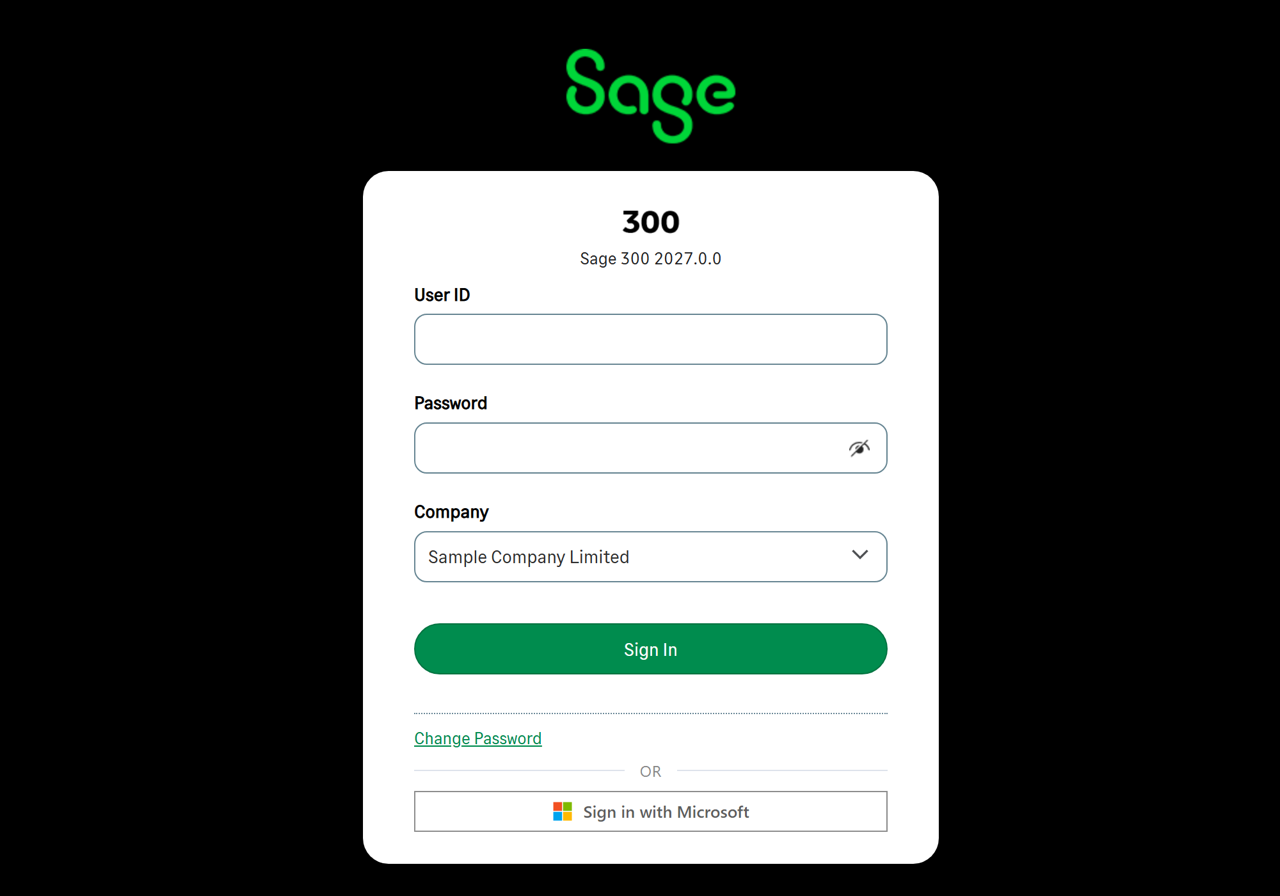
The Sage 300 sign-in screen with a 'Sign in with Microsoft' button added by BeCa IT
Live on Sage 300 2026 — “Sign in with Microsoft” added by BeCa IT, alongside the standard Sage login.

How it protects sign-in

Two ways to protect your Sage 300 logins.

Use single sign-on, multi-factor, or both together — the same experience on Sage 300 Web Screens and Desktop.

SSO

Single sign-on with Microsoft

Adds “Sign in with Microsoft” to Sage 300. People log in with the Microsoft work account they already use every day. It connects Sage 300 to the identity provider you already have — it is not a separate SSO service you buy per user.

  • No separate Sage 300 password to issue, rotate or reset
  • Disable someone in Microsoft 365 and their Sage 300 access ends immediately
  • Your Microsoft MFA and Conditional Access policies carry over automatically
  • Powered by Microsoft Entra ID (formerly Azure AD, via OpenID Connect) — extensible to Google and other providers
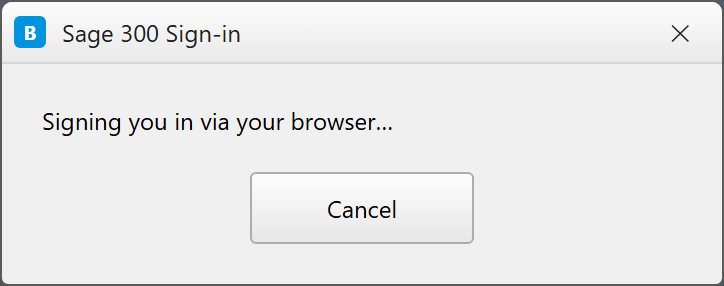
Sage 300 Desktop sign-in dialog redirecting to the browser for Microsoft single sign-on
MFA

Multi-factor authentication

Adds a second factor (2FA) to Sage 300 sign-in: a 6-digit code from any standard Authenticator app, on top of the user's normal credentials.

  • Enrol once by scanning a QR code with Microsoft or Google Authenticator, Authy and others
  • Standards-based (TOTP, RFC 6238) and fully offline — no SMS fees, no extra hardware
  • Layered — sits on top of single sign-on or the normal Sage 300 password
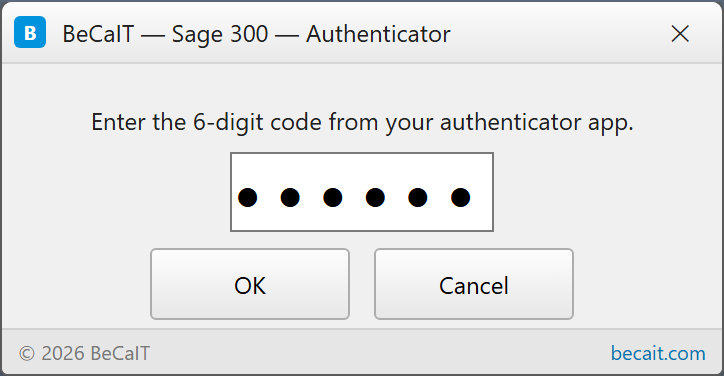
  • The same code prompt wherever your team signs in — Web and Desktop
Sage 300 sign-in prompting for a 6-digit code from an Authenticator app

Why customers choose it

Modern security, zero disruption.

Bank-grade login

SSO and MFA built on open security standards — OpenID Connect / OAuth 2.0 and TOTP (RFC 6238). No proprietary lock-in.

No Sage 300 changes

A pure interceptor in front of Sage's own sign-in. No source changes, so your upgrades and customizations keep working.

Identity preserved

Each person signs in as their own Sage 300 user — per-user permissions and audit trails stay completely intact.

Minutes to deploy

A drop-in install alongside Sage 300 — no new servers, no database migration. Settings live in your own Sage 300 database.

How it works

A transparent layer in front of Sage 300.

The module sits in front of Sage 300's own authentication and passes every call straight through — except the sign-in check, where it adds SSO or MFA. Nothing else in Sage 300 is touched.

  1. 1

    Intercept sign-in only

    Every Sage 300 call passes straight through — the module only steps in at the sign-in check.

  2. 2

    Verify the user

    Entra ID handles single sign-on; an Authenticator app provides the multi-factor code.

  3. 3

    Land as the real Sage 300 user

    The person signs in as their own Sage 300 user — permissions and audit stay intact.

Safe to remove — uninstalling cleanly restores Sage's original sign-in. Your settings live inside your own Sage 300 database; no data leaves your environment.

What's included

Everything to go live.

Supported Sage 300 versions

Sage 300 2025 PU5 and 2026 PU2. New Product Updates are added as they ship.

  • SSO — Microsoft Entra single sign-on (Web & Desktop)
  • MFA — Authenticator-app multi-factor (Web & Desktop)
  • Admin tool — point-and-click setup of providers, keys & policy
  • Guided installer — matched to your exact Sage 300 version
  • Support & updates from the BeCa IT team

FAQ

Sage 300 SSO & MFA, answered.

Does Sage 300 support single sign-on (SSO)?

Sage 300 does not include single sign-on on its own. BeCa IT Authentication adds it: a 'Sign in with Microsoft' button on both Sage 300 Web Screens and Desktop, powered by Microsoft Entra ID (formerly Azure AD) via OpenID Connect, and extensible to Google and other identity providers.

Is BeCa IT Authentication an SSO provider like Okta, Microsoft or Google?

No. BeCa IT Authentication is not an identity provider and is not sold per user like an SSO subscription. It is the connector that lets Sage 300 sign in using the identity provider you already have — Microsoft Entra ID or Google. Your people authenticate against your existing Microsoft 365 or Google Workspace accounts, and our product brings that secure sign-in (plus optional MFA) into Sage 300. There is no separate per-user identity licence to buy from BeCa IT; it is licensed for Sage 300, not per identity seat.

Can I add MFA or two-factor authentication (2FA) to Sage 300?

Yes. BeCa IT Authentication adds multi-factor authentication (MFA / 2FA) to Sage 300 sign-in — a 6-digit time-based code (TOTP, RFC 6238) from any standard authenticator app such as Microsoft Authenticator, Google Authenticator or Authy. It works offline with no SMS fees and no extra hardware.

Does it work on both Sage 300 Web Screens and Desktop?

Yes. SSO and MFA work the same way across both Sage 300 Web Screens and the Sage 300 Desktop client, so your team gets one consistent secure sign-in everywhere.

Does it require changes to Sage 300 or new servers?

No. BeCa IT Authentication is a drop-in interceptor that sits in front of Sage 300's own sign-in. There are no Sage 300 source changes, no database migration and no new servers — settings live inside your existing Sage 300 database, and uninstalling cleanly restores the original login.

Which Sage 300 versions are supported?

Sage 300 2025 PU5 and 2026 PU2 are supported today, and new Product Updates are added as they ship. Tell us your exact version and the BeCa IT team will confirm compatibility.

Get started

Bring modern sign-in to your Sage 300.

Tell us your Sage 300 version and team size and we'll arrange a walkthrough, confirm compatibility and come back with licensing and deployment options.

Request a demo